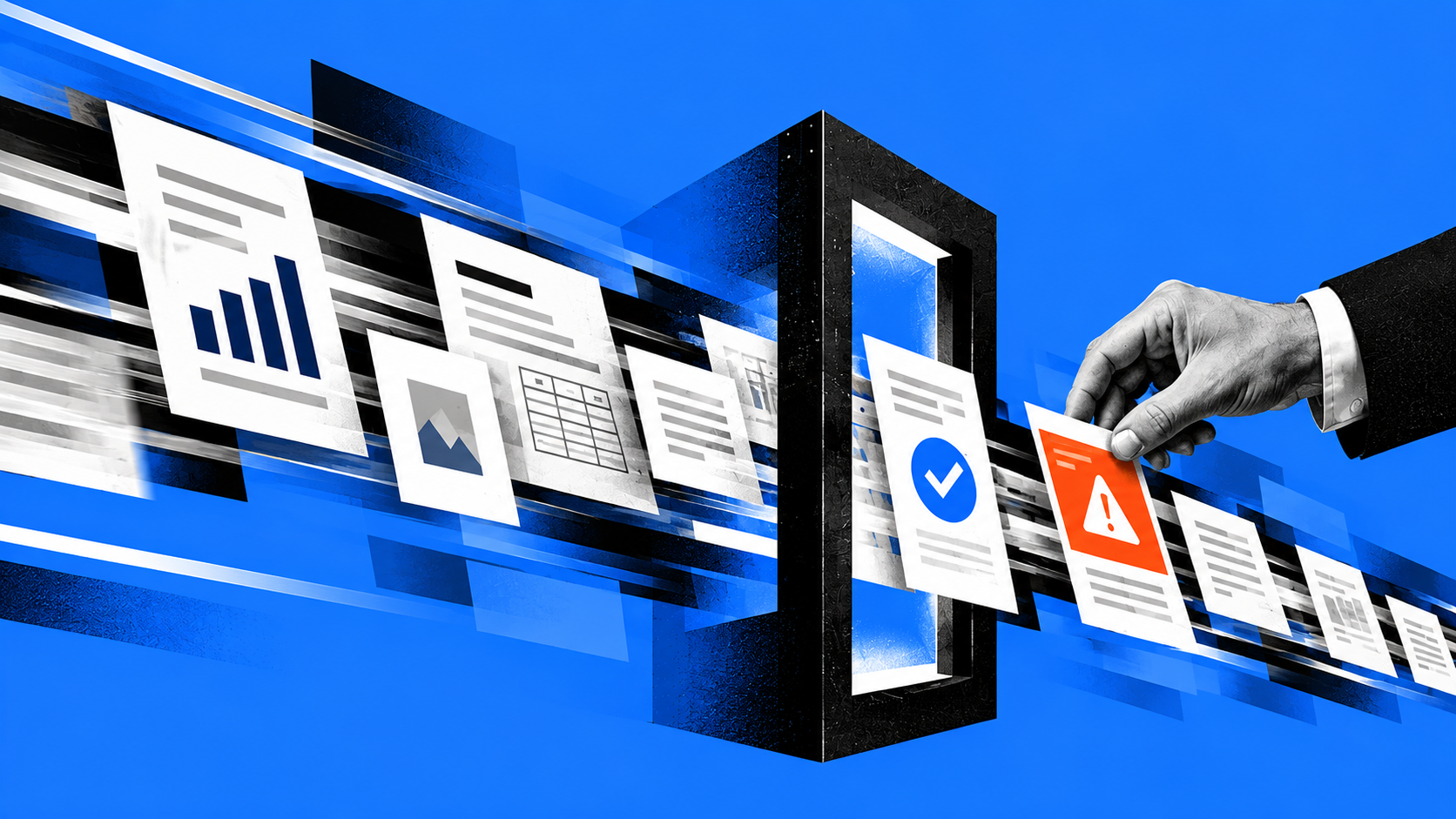
The data in most organizations today is already rather messy. This could be old documents that are still published on SharePoint sites, reports that show different numbers, or employees who simply know which source people normally trust. Most businesses have some version of this going on, even if it hasn’t caused a serious problem yet.
AI can make those existing problems harder to notice. It can pull from several sources and combine the information into one answer. Some of those sources may be outdated, incomplete, or inconsistent, but the response can still look perfectly normal. That makes the data behind the answer an important part of AI data governance from the start.
The Data Was Already Messy
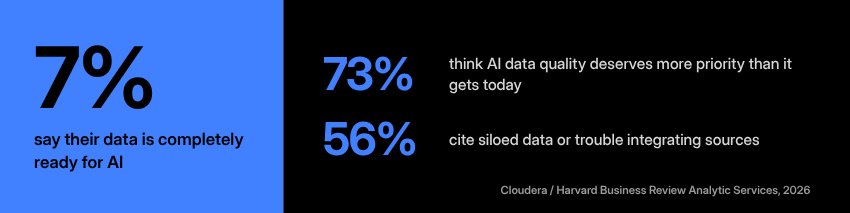
Only 7% of enterprises say their data is completely ready for AI. Nearly three-quarters believe AI data quality deserves more priority than it gets today, and 56% cite siloed data or trouble integrating data sources. Those numbers aren’t too far removed from what businesses already deal with every day.
At one large energy company, a SharePoint intranet had grown into dozens of subsites over the years. Different teams owned different parts of it, and maintenance hadn’t kept pace with that growth. Employees were already having trouble figuring out what was current and where they were supposed to look.
A manufacturing client ran into a different kind of data problem. During a data audit, the team started with published reports and worked backward to the raw numbers underneath them. Along the way, they found shadow data and several sources they couldn’t fully trust. That made it difficult to feel confident in the final numbers.
Businesses can work around issues like these for years. Employees learn which file was updated most recently, who usually knows where a number came from, or which report needs another look before it’s used. Much of that knowledge lives with the people doing the work. Giving AI access to the same files doesn’t automatically give it everything those people have learned over time.
AI Can Hide Some Warning Signs
Finding information manually can take longer, but that process also exposes problems along the way. Someone may open two reports and notice that the totals don’t match. An older document might sit beside the current one, or a strange number may send someone back to the original source.
AI can skip quite a bit of that work. That’s useful when people are dealing with a large amount of information, but some of those warning signs become easier to miss. Outdated or conflicting information can still produce an answer that reads well and looks complete. If people plan to rely on that answer, it helps to know what went into it.
Four Questions Before AI Uses Your Data

AI doesn’t need every file and database to be perfect before it can be useful. Most businesses would have a hard time reaching that point anyway. A more realistic goal is to make sure the information that matters most is current enough, trustworthy, and understood.
1. Which Sources Can the AI Reach?
Start with what the system can access. That may include the obvious places, but it can also include old SharePoint sites, archived documents, forgotten integrations, and sources nobody checks anymore.
If outdated information shouldn’t influence an answer, the organization may need to remove it, restrict access, or clearly separate it from current material. The first step is simply knowing that it’s there.
2. Which Source Wins When Information Conflicts?
Two systems will eventually disagree about something. One report may have yesterday’s number while another was updated this morning. Two departments may also track the same information in slightly different ways.
For important information, the organization should decide which source has the final say. AI shouldn’t have to make that choice just because both versions are available.
3. How Current and Trustworthy Is Each Source?
An old document looks old when someone opens it and sees the date at the top. That becomes a bit harder to recognize after AI pulls a few details from it and places them inside a new response.
Important sources should have clear owners and some expectation for review. Otherwise, information that people stopped trusting years ago may still sit where AI can find and use it.
4. Can We Spot Missing or Questionable Information?
This can be harder. An unusual AI answer may be the first sign that two systems don’t agree or that a key document is missing. In many cases, that problem existed long before AI became involved.
Organizations need enough visibility to catch those gaps earlier. That may include reviewing the sources behind important workflows, checking how answers are grounded, or making sure employees can still verify the information behind a result.
Information Integrity Comes First
“No trusted data, no trusted AI” is a simple way to put it. Trusted doesn’t mean every file needs to be perfectly organized or every old document needs to disappear. The important information should have a known source, someone responsible for it, and a reasonable way to tell whether it’s still current.
A newer AI model won’t fix an old SharePoint site that nobody has maintained for years. It also won’t know which of two internal reports the organization considers more reliable unless someone defines that first. AI can move through information much faster, but the business still has to decide which information belongs there and which sources people should trust.
Once that foundation is in place, another question comes next: who is responsible for what happens after AI provides an answer?
Start With One AI Use Case
Businesses don’t have to clean up every system at once. A more manageable place to start is one AI use case and the information that supports it. Look at the systems, documents, and workflows involved. Then find out which sources the AI would use, whether those sources agree, and who keeps the important information current.
That usually gives the organization a clearer picture of what needs attention first. ITonDemand’s AI Readiness Assessment takes the same approach. We can review a real or planned use case, look at the systems and information behind it, and help identify the areas worth addressing before the project goes further.